
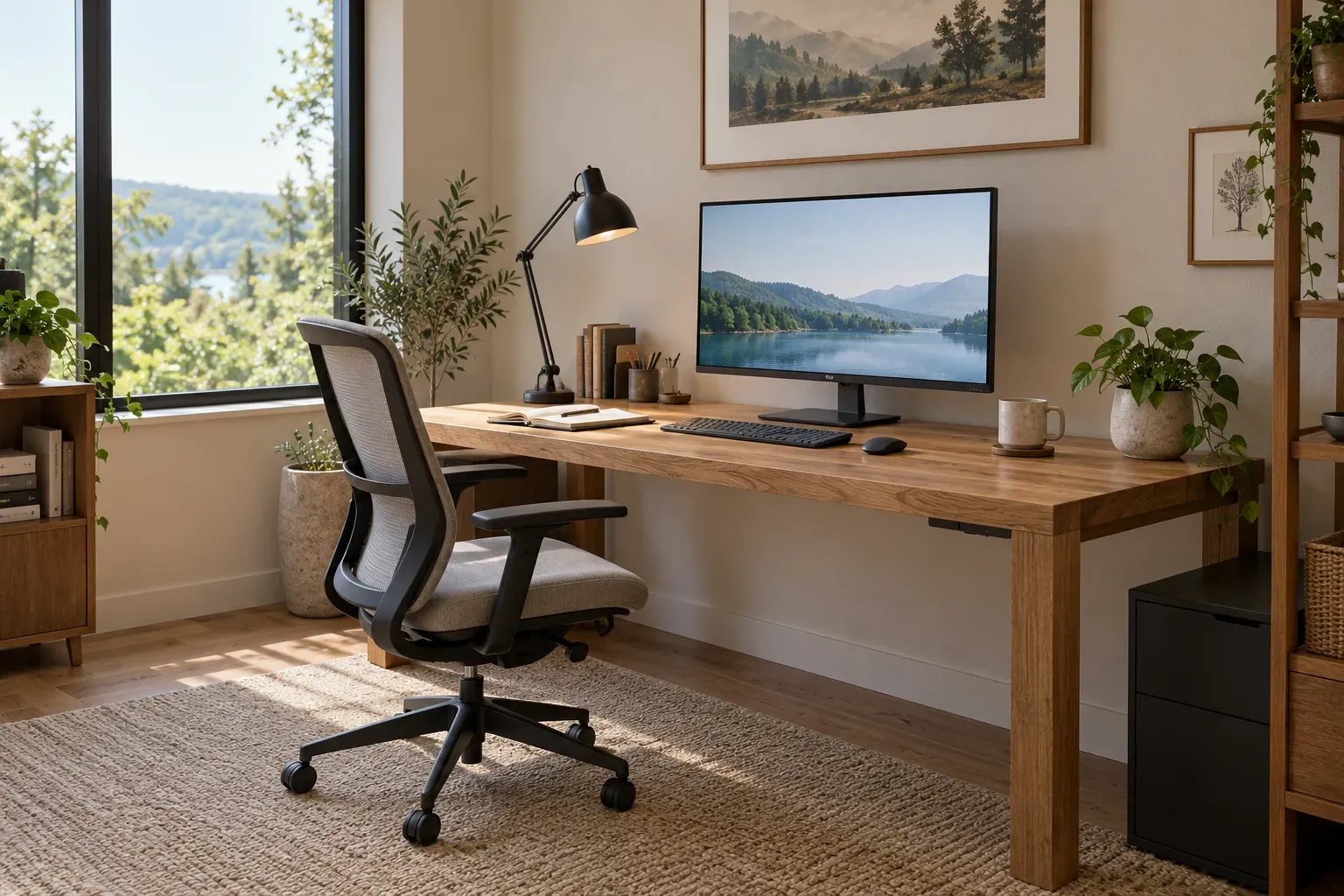
Start your home office layout with the screen, chair, and route through the room. Aim for daylight from the side, enough desk depth to read without leaning forward, and space to pull your chair out without blocking a doorway. In a shared room, a wall desk or alcove is often easier to fit than a desk floating in the middle of the floor.
Choose the location before adding organizers or decor. A tidy-looking desk will still be awkward to use if the afternoon sun hits the screen or you have to move the chair every time someone opens a closet.
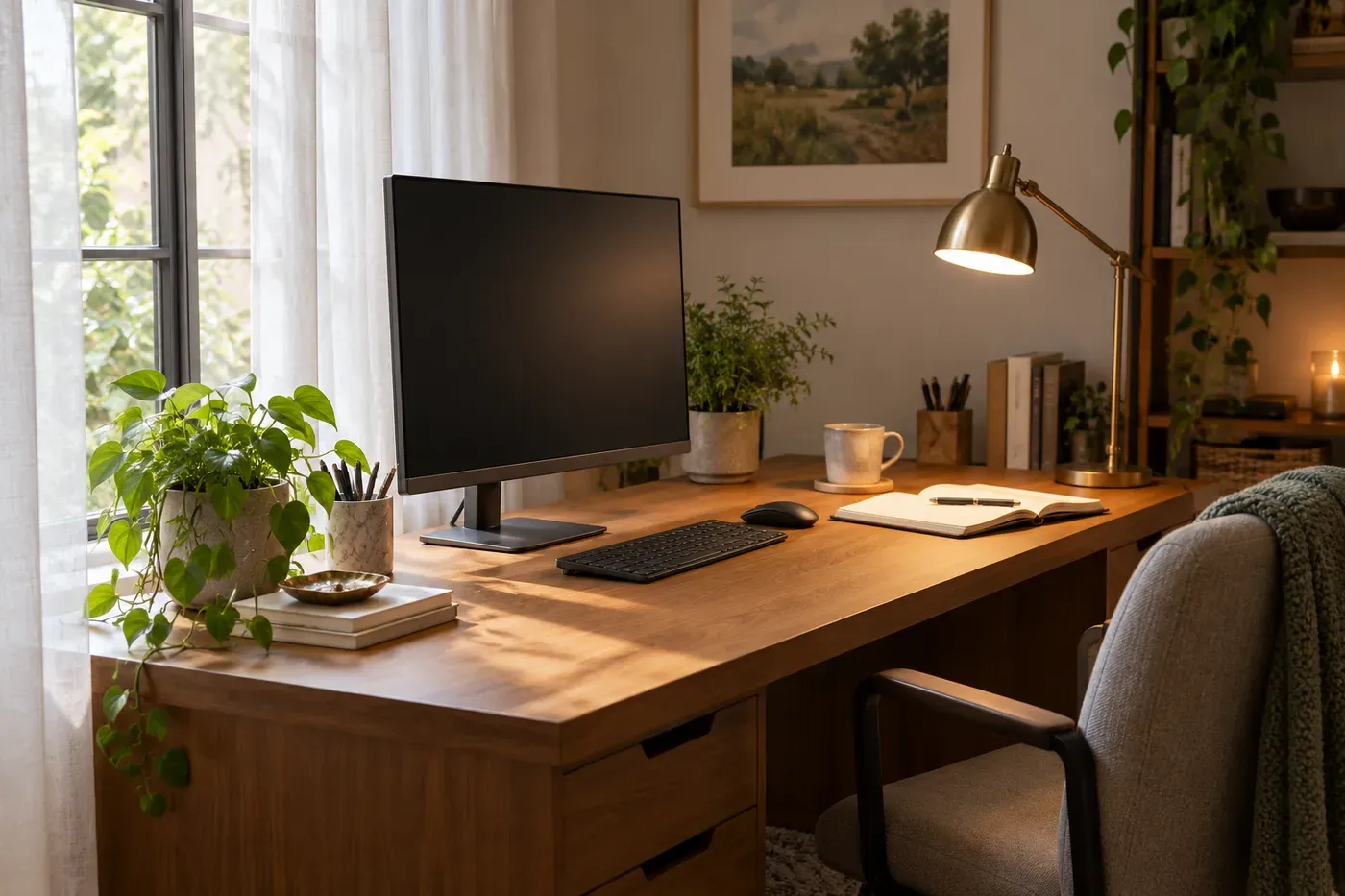
Put the window beside your screen
Arrange your workstation so the window is to your left or right as you face the monitor. More precisely, the screen's face should be at right angles to the window, a placement recommended in OSHA's monitor guidance. This helps reduce glare; it does not rule out direct sun at every time of day.
A bright window directly behind the monitor can make the screen difficult to see. A window behind your chair can reflect in it. Before settling on a layout, look at the screen from your seated position during the hours you normally work. Adjust blinds or curtains where bright patches remain.
Give paperwork its own light. Aim an adjustable, shaded desk lamp at the page rather than the display, and move it until your writing hand no longer casts a shadow over your notes. Keep some room lighting on for evening work instead of leaving a bright screen in an otherwise dark corner. OSHA's lighting guidance favors diffuse light and task lighting that limits brightness around monitors.
Choose a layout that leaves the room usable
Use a straight wall desk in a living room
Place a rectangular desk along a wall outside the main route between the door and seating area. This keeps the workstation at the edge of the room and leaves the center available for everyday use.
Repeat a finish already nearby, such as the wood tone of a bookcase or the dark metal of a side table. Put papers and spare chargers in a drawer or adjacent closed cabinet so the desktop can look settled after work. The chair can echo the room's upholstery, but it still needs to support your back and let you reach the keyboard comfortably.
Test the arrangement with the chair pulled out, not just tucked under the desk. If someone has to squeeze behind you to reach the sofa, try another wall or a smaller storage unit before reducing the work surface.
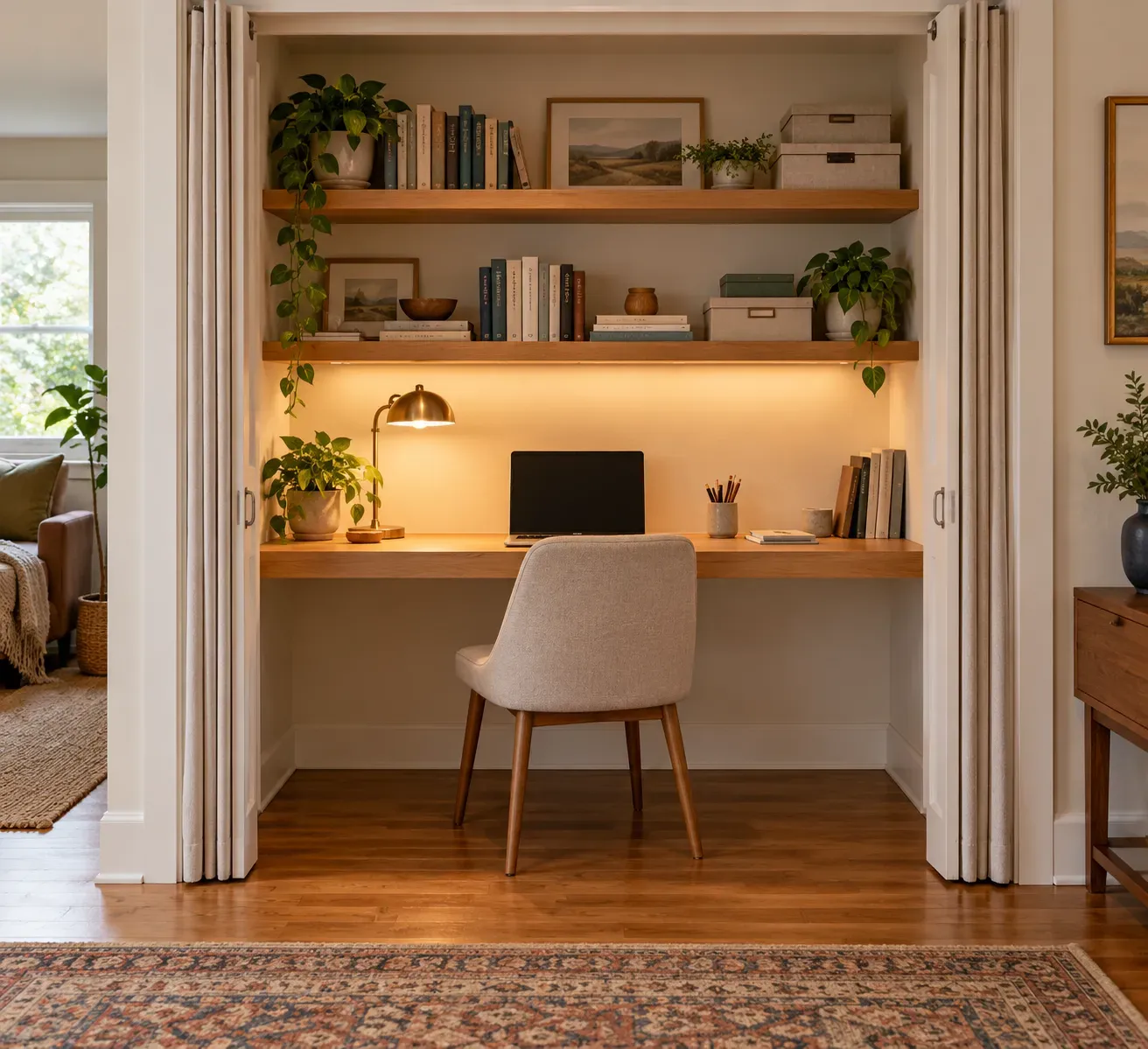
Turn an alcove into a workspace you can close away
An alcove or unused closet gives the desk a clear boundary. It works especially well when you want work out of sight in the evening, provided the recess has enough room for your equipment and legs.
Measure with your actual setup in mind. Mark the proposed desktop on the floor, then try sitting at a table with a similar depth. You should be able to place the monitor far enough away, keep the keyboard and mouse within reach, and sit without your knees meeting a cabinet or support.
Keep frequently used supplies in a drawer or low organizer. Higher storage is better for things you do not need to reach while seated. If you retain doors or add a curtain, make sure they clear the desk and cables. Keep the enclosure open while equipment is running so the nook is not a closed storage space around working electronics.
A recess that only fits a narrow shelf may be better for storing work supplies than for a daily computer station.
Use a corner desk when you need a second work surface
A corner or L-shaped desk suits work that moves between a screen and paper. Put the monitor and keyboard together on the main section, with the return reserved for documents, sketching, or equipment you use less often.
Do not let the extra surface push the keyboard off to one side. Your chair should face the task you are doing, rather than leaving your body forward and your head turned toward a screen.
A corner desk can occupy more floor space than expected. Mark out both sections and pull the chair back before committing to it. In a bedroom, test access to drawers and the wardrobe too; an unused corner is not necessarily an unused route.
Keep a bedroom desk separate from bedside storage
Use a wall away from the bed where possible, and give work papers their own drawer or cabinet. Sharing a small surface with a bedside lamp, books, and charging devices leaves little space for a keyboard or notebook.
If the bed is visible on video calls, test the camera view before moving everything. Changing the desk's position may give you a simpler background without adding a room divider. At the end of the day, put work materials away and tuck the chair in so the room is easier to use for rest.
Fit the equipment to your seated position
Adjust the workstation after choosing the layout. OSHA's guidance on working positions emphasizes supported feet, relaxed shoulders, and hands and forearms in line. It also recommends changing position frequently rather than holding one posture all day.
- Set the chair so your back is supported and your feet rest on the floor or a footrest.
- Bring the keyboard and mouse close enough that your upper arms can stay near your sides. Leave space under the desk for your legs instead of using it all for storage.
- Put the main monitor directly in front of you, with the top of the screen at or slightly below eye level. OSHA gives a preferred viewing distance of 20 to 40 inches; adjust text size so you can read while sitting back comfortably.
- If you raise a laptop to improve screen height, use a separate keyboard and mouse so you do not have to reach up to type.
A very shallow desk may look discreet but leave too little distance between your eyes and the screen. Reduce decorative storage or choose a different location before accepting a setup that makes you lean or twist.
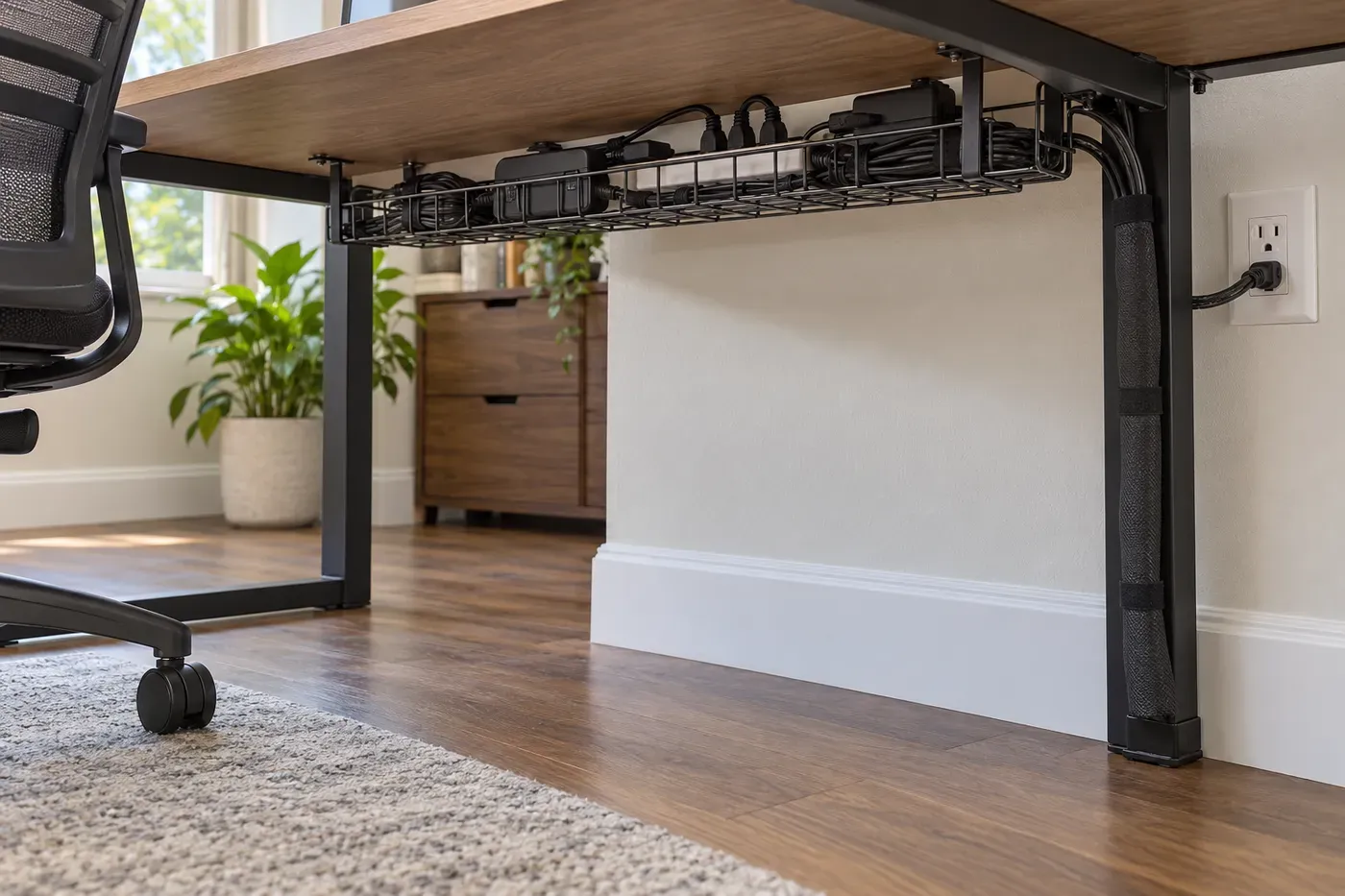
Give cables a route, not just a hiding place
Start with the wall outlet. Place the desk where power can reach it without crossing a walkway, then route cables along the rear edge and down a back leg. Keep connectors accessible so unplugging a laptop does not mean dismantling the whole arrangement.
- Use a cable tray for loose leads, keeping it clear of your knees.
- Gather data-cable slack with reusable ties, leaving enough movement for the chair, screen, and any adjustable desk parts.
- Keep power leads out of chair casters and away from door hinges. Do not hide them under a rug.
- If you use a power strip, plug it directly into a wall outlet, not another strip, and keep the connected load within its rating. These are specific precautions in Electrical Safety Foundation guidance.
A dock can reduce the number of connections you make each morning, but only if it supports your laptop's charging and display requirements. A monitor arm can free the space occupied by a stand; it is optional, and it needs a compatible display and a desktop that can accept its mounting system. Neither accessory is necessary for a tidy desk.
Keep decor outside the active work area
Leave the space between your keyboard, mouse, and notebook open. Put a small plant or framed picture at the far end of the desk, or on nearby furniture if the surface is already full. Choose it because you enjoy looking at it, rather than treating it as a productivity tool.
A pinboard gives current notes a place off the desk. Keep reference papers there and archive finished work elsewhere; a board covered in old reminders is another sorting job. Use a drawer for spare pens, adapters, and stationery, while leaving the items you use throughout the day easy to reach.
Matte desk finishes are worth considering where lamps or windows create distracting reflections. Repeat a few colors from the room rather than filling the desk with matching accessories. The goal is a workspace that belongs in the room and still has room for work.
Test the layout through a normal workday
Before adding more furniture, use the setup for your usual tasks. Notice whether glare appears later in the day, whether you can open nearby storage while seated, and whether papers end up on the floor because the desk is too crowded.
Move the item causing the problem first. At shutdown, return loose papers to their drawer, put away the laptop if you share the surface, and leave the chair out of the walking route. That small reset makes the room usable again without asking you to pack away an entire office.